Glitch and Texture
Starter Patch
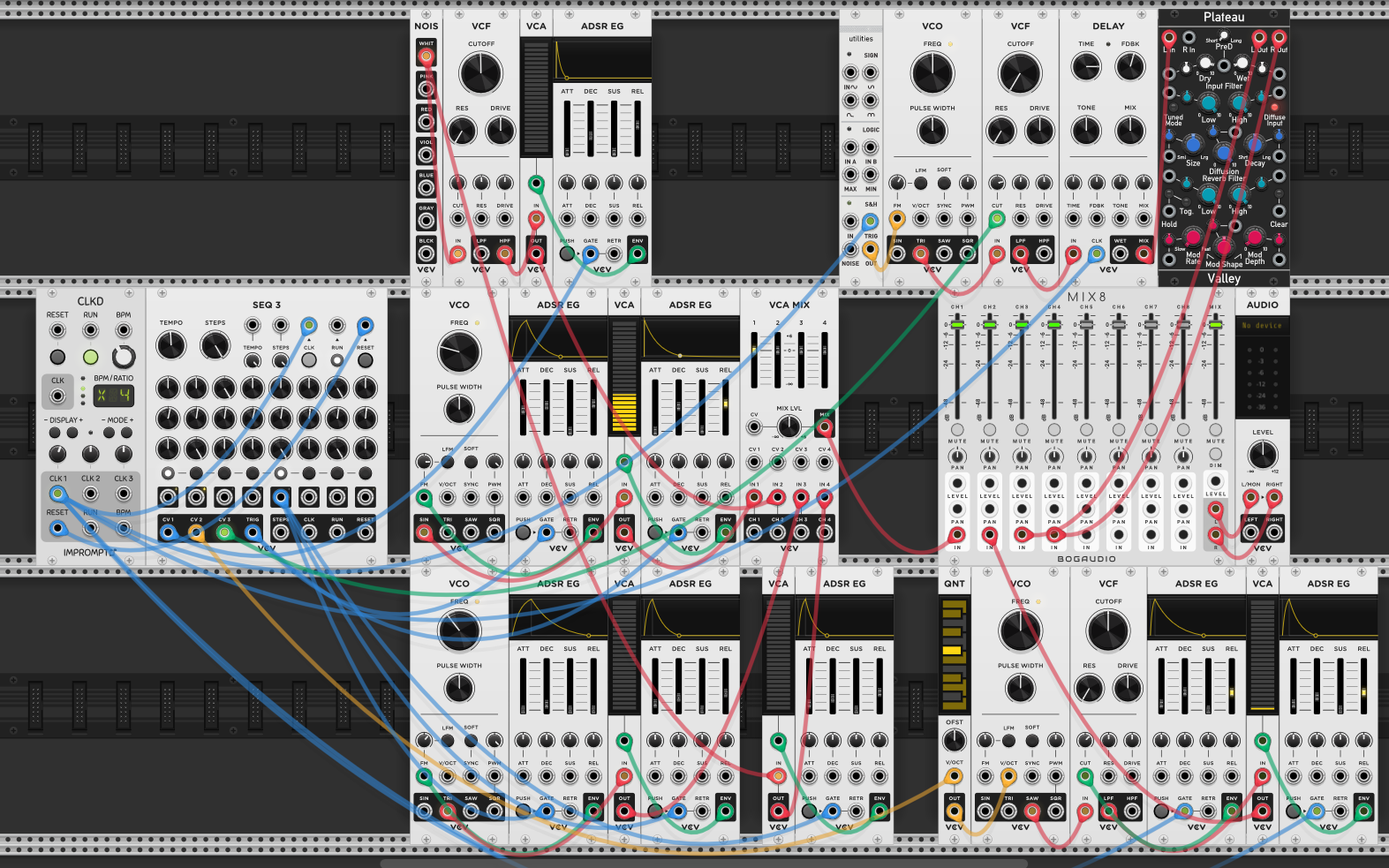
A complete musical patch as the starting point: a clock drives a sequencer feeding three sections. The middle column is a percussion section — hi-hat, bass drum, and snare built from noise and filtered/enveloped signals (session 5). The main melodic voice sits in the middle row with a VCO through envelope-shaped VCAs. A second voice on the bottom row acts as an atmospheric backdrop — pitched through a quantizer, filtered, and sent through delay and Plateau reverb for environmental depth. Everything goes through a MIX8 for final level and panning control. The goal: add glitch and texture to this already-working patch.
Adding Movement to Percussion
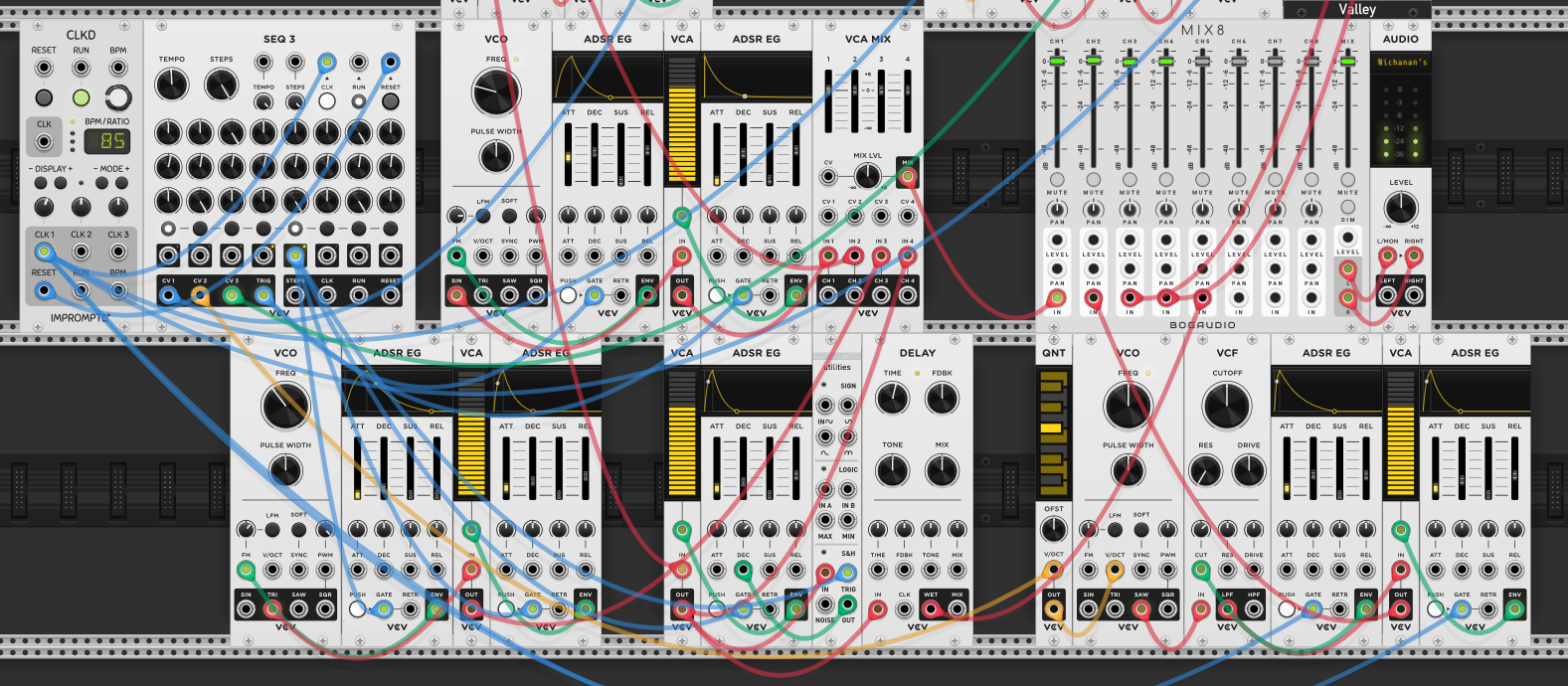
Slowing the clock down and adding a delay to the snare — sending only the wet signal to the mixer so the delayed repeats are heard without the dry hit doubling up. An S&H modulates the snare’s ADSR decay time, so each snare hit has a different length — sometimes a tight snap, sometimes a longer rattle. The delay then repeats these varying hits, creating a rhythmic tail that shifts character with each strike.
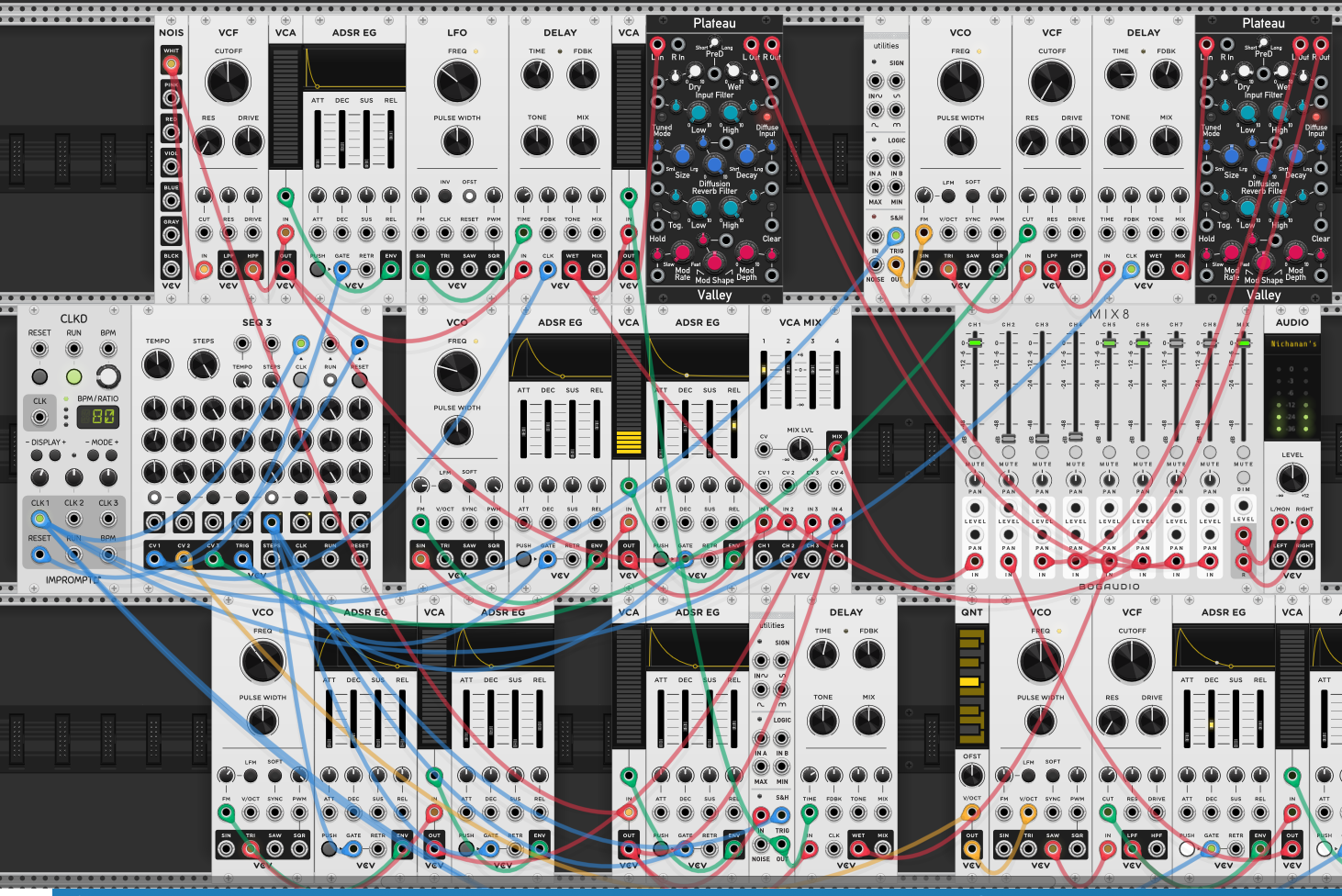
The same approach applied to the hi-hat — a delay with only the wet signal sent to the mixer as a separate channel. An LFO modulates the envelope’s attack time instead of an S&H, giving a continuous sweep rather than stepped changes. The attack variation means some hi-hat hits are sharp and immediate, others fade in softly — and the delay repeats spread these variations out rhythmically.
A second delay is added to the snare with its delay time modulated by the LFO — this warps the repeat spacing, creating pitch-shifting and time-stretching effects as the delay time moves. Sending this through a Plateau reverb smears the warped repeats into an atmospheric wash behind the dry percussion.
What it sounds like: the LFO-modulated delay time on the snare produces a springy, ping-pong ball bouncing effect — the repeats accelerate or decelerate as the delay time shrinks or grows, and the pitch shifts with each repeat as the delay buffer is read at a changing rate. Through the reverb, these warped bounces blur into a textural cloud that sits behind the dry rhythm.
Glitch and Texture Techniques
The key techniques for adding glitch and texture to a patch:
- Wet-only delays — sending only the wet signal to a separate mixer channel keeps the dry sound clean while the delayed repeats become their own textural layer. The mixer level controls how much glitch is present without affecting the source.
- Modulated delay time — an LFO or S&H modulating the delay time creates pitch-shifting artifacts as the delay buffer is read at a changing rate. Slow modulation gives gentle warping; fast modulation gives aggressive glitch. This is the primary source of the “broken digital” character.
- Modulated envelope parameters — S&H on decay or LFO on attack varies the percussion’s character per hit. Stepped (S&H) gives unpredictable changes; continuous (LFO) gives sweeping evolution.
- Delay into reverb — chaining delay before reverb (not after) smears the rhythmic repeats into an ambient wash. The delay creates the rhythmic texture; the reverb dissolves it into atmosphere.
- Separate mixer channels for effects — routing wet signals to their own channels on the MIX8 gives independent level and pan control over the textural layers. Glitch and texture work best when they can be mixed precisely against the dry source — too loud and they overpower, too quiet and the patch sounds static.
Reflection
The bouncing, springy quality from the LFO-modulated delay time is the standout technique — it turns a static percussion hit into something that feels alive and playful. The patch is starting to sound like something that could sustain interest over a long performance: the melody and chords provide harmonic structure, the percussion provides rhythm, and the glitch/texture layers provide unpredictable surface detail that keeps the ear engaged.